
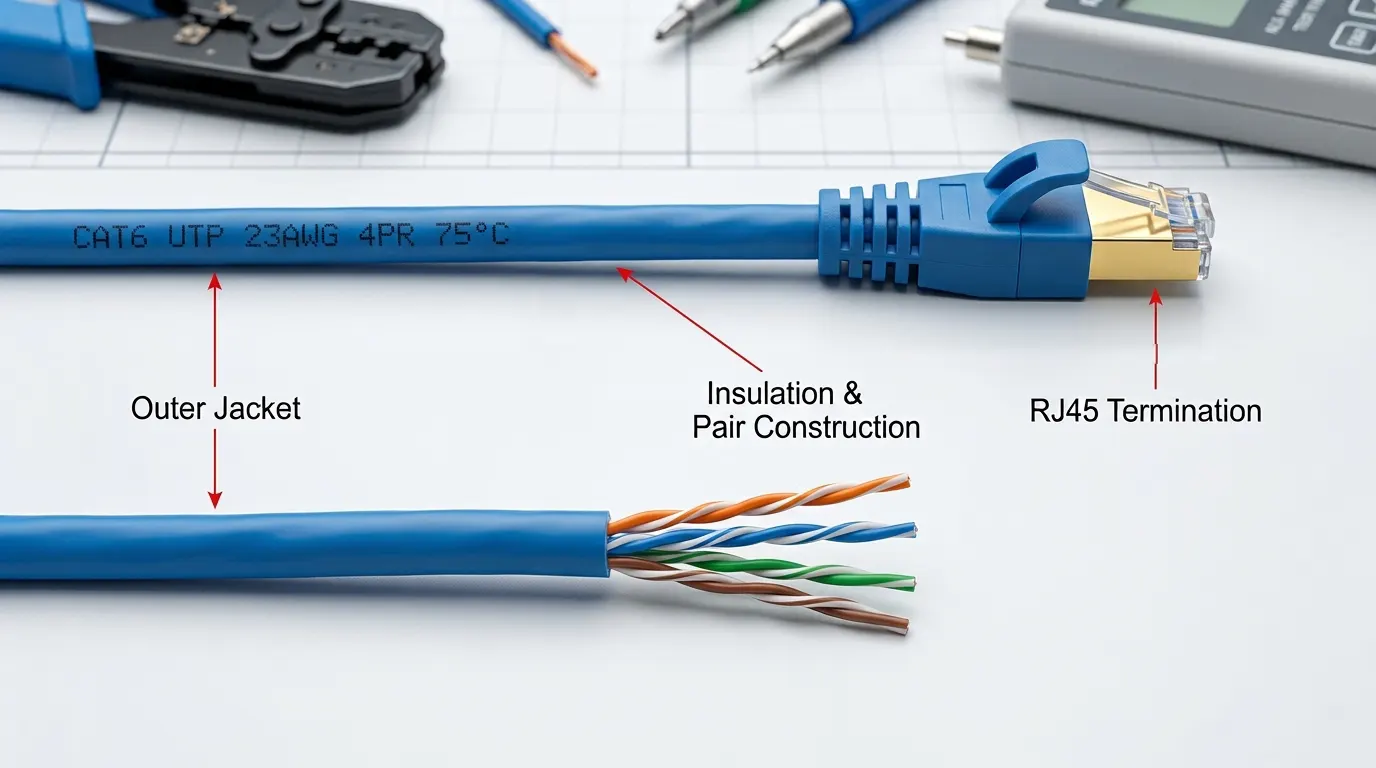
From office computers and network switches to IP cameras and wireless access points, many network devices rely on physical cable connections to exchange data. Although Wi-Fi is widely used, wired Ethernet remains an important part of business networks and structured cabling installations.
An Ethernet cable provides the physical connection between compatible network devices. The type of cable used, its installation environment and the requirements of the connected equipment all affect whether it is suitable for a particular application.
Understanding what an Ethernet cable does is the first step. The next is knowing how different cable categories, conductor constructions and installation requirements affect the choice of cable for a real network.
What the cable is, and what it is not
An Ethernet cable is four twisted pairs of insulated copper conductor inside one jacket, terminated with 8P8C modular plugs or jacks. The trade calls the connector RJ45; strictly, RJ45 is a telephone interface that happens to share the same footprint.
The twist does the work. Each pair carries one signal as two equal and opposite voltages, and the receiver reads the difference. Noise from a motor, a ballast or a neighbouring pair arrives on both conductors at nearly the same amplitude, so it cancels when the two are subtracted. That is why an unshielded cable survives in a building full of electrical noise, and why pair geometry matters as much as the copper.
Nothing in a standards catalogue is called an “Ethernet cable”. Two documents describe what is in the box. ANSI/TIA-568.2-D and ISO/IEC 11801 set the transmission performance of the cable and its connecting hardware, expressed as a category or a class. IEEE 802.3 defines the application that runs on top — 1000BASE-T, 2.5GBASE-T, 10GBASE-T. The cable is passive: the ports at each end negotiate the link, and the cable only has to keep the signal readable between them.
That split explains the most common misunderstanding. A Cat6A cable between two 1G ports runs at 1 Gbps. The cable never sets the speed. It sets the ceiling.
Where that ceiling applies is easier to see in a working installation. A structured cabling installation is a chain: an outlet and patch cord at the desk, a horizontal cable through the wall to a patch panel, a second patch cord from the panel to a switch port. All three form one channel, and the channel is what gets tested and what carries the traffic.
The switch is the only device in that chain that decides where a frame goes. The cable moves the signal between the switch port and whatever sits at the far end, so the same product turns up in front of very different equipment:
- Network switches, and the uplinks to a firewall or router
- Access points on ceilings and walls, usually powered from the switch
- IP cameras carrying video and power on one cable
- VoIP phones, access control readers and door intercoms
- Desktop PCs, docking stations, printers, NAS and servers
- Building automation controllers, PoE lighting, industrial HMIs and PLCs
Projects still pull cable where Wi-Fi is available, and the reasons are not equal in weight. A switch port is a dedicated link, so throughput per device does not fall when the next desk connects. Power decides more installations than any throughput figure: PoE delivers DC over the same pairs that carry data — 15.4 W at the source for 802.3af, 30 W for 802.3at, 60 or 90 W for 802.3bt. A ceiling access point or a pole-mounted camera with no local mains supply is a wired device by default, because the cable is also its power feed.
Two smaller reasons show up in most tenders. A cable terminates at a jack and a radio signal leaves the room, so for access control and regulated data the wall outlet is a security boundary that is easy to audit. Cabling is also the longest-lived part of the system: planned on a 20-year horizon, it outlasts two rounds of switches.
Wi-Fi, Ethernet and the “internet cable” label
Twisted-pair Ethernet is a switched, full-duplex link. 1000BASE-T uses all four pairs in both directions at once and separates them with echo cancellation; 10BASE-T and 100BASE-TX use one pair each way. No device competes for the medium, so throughput holds under load, and 100 m of twisted pair adds well under a microsecond of delay.
Wi-Fi is a shared channel. Every client on an access point competes for airtime and the AP arbitrates it. Per-client throughput falls as clients are added, delay varies with retries, and link quality depends on distance, walls and interference. That is the right trade for devices that move.
The dependency is what gets lost in the comparison. An access point is a wired device with a radio attached: its backhaul is a cable, and in most installations that cable also powers it. Remove the cabling and the wireless network stops. The two are layers of one system, and the Wi-Fi and Ethernet comparison covers where the boundary falls.
“Internet cable” is a retail phrase, not a technical one. The internet arrives over whatever the provider sells — fiber to an ONT, coax to a modem, a leased line — and that handover is not twisted-pair Ethernet, even when the ONT presents an Ethernet port to the router. What a shop sells as an “internet cable” is a patch cord: the same four-pair assembly, cut to length, with a plug at each end. Fiber carries Ethernet frames too, but it is a separate product family with its own distance limits; copper or fiber works through that choice.
From the jacket print to the project specification
Ethernet went from 10 Mb/s to 10 Gb/s without changing the connector, and each speed step needed a wider frequency range and tighter limits on what the pairs leak into each other. A category records those limits: Cat5e is tested to 100 MHz, Cat6 to 250 MHz, Cat6A to 500 MHz, and Cat6A adds alien crosstalk requirements that Cat6 does not have.
A category is a test envelope, not a speed rating. What the network runs at is decided by the ports and by the length of the run. Cat5e and Cat6A channels both carry 1000BASE-T to 100 m; the difference appears at 10GBASE-T, where Cat6 reaches roughly 37 m to 55 m depending on alien crosstalk and how the link is assessed, while Cat6A is specified for the full 100 m. The category selection guide works through the cases where that gap decides the purchase.
| Marking | What it specifies | What it leaves out |
|---|---|---|
| Cat6 (or Cat5e, Cat6A) | Transmission performance, tested to the category limits | Conductor material, shield construction, and whether the channel was ever tested |
| 23 AWG | Conductor size, and with it resistance per metre | Whether the conductor is solid or stranded |
| U/UTP, F/UTP, S/FTP | Pair and overall shielding | Whether jacks, panels and bonding complete the shield path |
The last column is where most surprises live. Conductor material is often not printed at all: a Cat6 print says nothing about copper versus copper-clad aluminium, and on a long PoE run that difference affects the result more than the category does — the copper and CCA comparison quantifies it.
One construction detail sits outside the print: horizontal cable is solid, patch cords are stranded. Solid cable is not built for repeated flexing, and stranded cable has higher attenuation per metre, so the two are not interchangeable at the same category. Construction is only one of the inputs. The rest come from the drawing and the equipment schedule, not from a catalogue.
| Input | Why it changes the answer |
|---|---|
| Fastest link the installation must serve | Sets the category floor; 1G access ports and a 10G backbone are not the same cable |
| Longest run along the route | Twisted pair is specified to 100 m per channel, 90 m horizontal plus patch cords; beyond that, fiber |
| Test requirement | Permanent link or channel, and the category the report must cover |
| PoE class and cables per bundle | Sets current per pair, and with it conductor size and heat in the bundle |
| Environment along the route | Plenum, riser, tray, outdoor, direct burial or a high-interference area, each with its own jacket and shield requirement |
| Quantity, reel length, delivery sequence | Determines packaging, waste allowance and phased delivery |
The first three rows set the category. The last three set the construction, the packaging and the delivery.
Each answer carries its own limits. PoE current, bundle size and ambient temperature interact in a way no category label captures, which the PoE cable guidance covers. A route that leaves the building envelope changes jacket, shield and mechanical construction, a separate requirement from transmission performance that outdoor cable constructions sets out.
A cable chosen against the fastest link, the longest run, the power load and the route will serve through two switch upgrades. One chosen from the jacket print alone usually gets replaced the first time a 10GBASE-T port appears at the far end. The specification is the cheap part of the decision. Re-entering a finished ceiling is not.