
For most links in a building, the answer is copper. It carries 1G, 2.5G and 5G without trouble, reaches 10GBASE-T on Cat6A over the full 100 m channel, and — the part fiber cannot do — it can power the device at the far end.
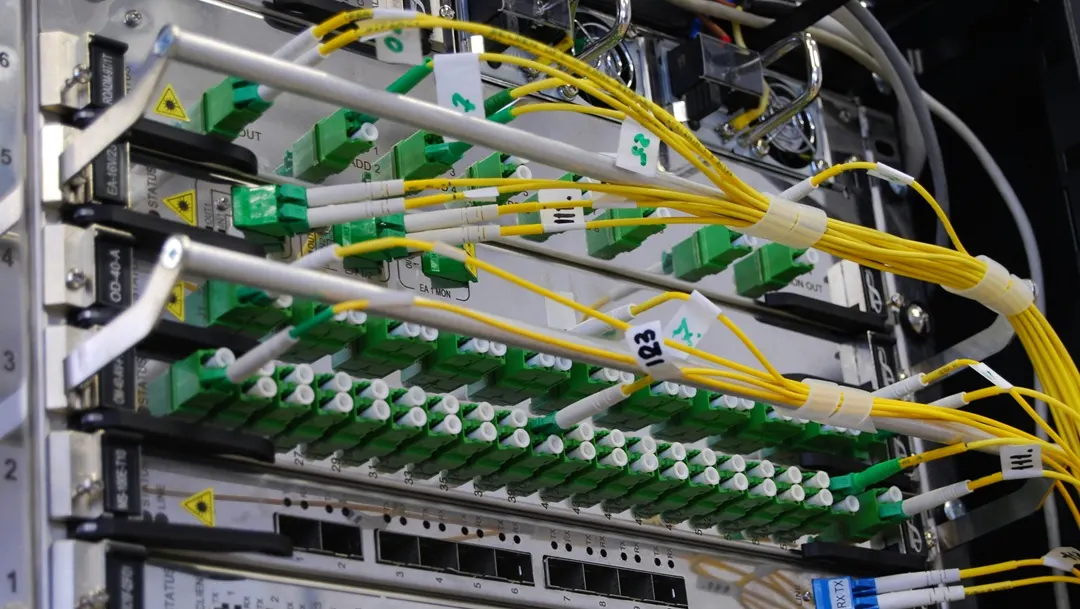
Fiber becomes the stronger choice when a link exceeds the standard 100 m copper Ethernet channel limit, connects separate buildings, or needs electrical isolation in an electrically noisy environment. Copper remains practical for shorter links, especially when the connected device needs PoE. Most buildings end up using both, and the split is not a matter of taste.
Speed is rarely the reason. Both media carry far more than any internet plan delivers. What decides is distance, power, and the electrical path.
Distance: the 100 m channel, and what fiber buys beyond it
The copper limit is a channel limit, not a cable limit: 100 m from switch port to device, measured over the whole channel and including the patch cords at both ends. That number comes from TIA-568 and ISO/IEC 11801, and it doesn’t stretch because the cable happens to be Cat6A.
Inside a single building, most horizontal runs fit inside it comfortably.
Risers, inter-building links and outdoor runs frequently don’t, and that’s where fiber stops being an upgrade and becomes the only option. Multimode is the usual choice there, and how far it reaches depends on the speed: 10GBASE-SR runs 300 m on OM3 and 400 m on OM4, 40GBASE-SR4 runs 100 m and 150 m, 100GBASE-SR4 runs 70 m and 100 m. Beyond that, single-mode takes over, where 10 km at 10GBASE-LR is routine.
For standard horizontal cabling, Cat6 is commonly used for 1G links, while Cat6A is designed to support 10GBASE-T across the full 100 m channel. The right choice depends on the required performance, installation conditions, and upgrade plans.
Power: fiber has no conductor, so there is no PoE
This criterion settles most everyday links, and it has nothing to do with bandwidth. Fiber has no conductor, so there is no Power over Ethernet on it. If the far end is a wireless access point, a camera, a VoIP phone, a door reader or a display, copper isn’t the cheaper option — it’s the only one of the two that can feed the device as well as talk to it.
Run fiber to the desk instead and you need a power outlet there, or a media converter, or a small switch at the far end. All of that works. All of it adds a device that needs a socket, a place to sit, and someone to replace it when it fails.
Environment: interference, ground potential, surge
Copper is a conductor, and that cuts both ways. It picks up interference from motors, variable-frequency drives, lifts and older lighting ballasts; shielding helps but doesn’t make the problem disappear. Fiber is immune to all of it.
The bigger issue is what copper connects. Two buildings rarely sit on the same ground potential, and a copper link between them ties those two grounding systems together. The result is current on the shield and conductors, and a ready path for surge energy. A surge doesn’t have to hit the cable at all — it can arrive on one building’s grounding system and leave through the other’s, using the copper as the path between them.
That’s why campus and multi-building design standards so often call for fiber between buildings. It isn’t a bandwidth decision; it’s a decision about what you’re willing to connect.
Where the split falls in practice
Cost and skill usually settle the tie. Copper is field-terminable: a punch-down tool, a crimper, a tester and some care, and a contractor who has never touched fiber can finish a Cat6 run. Fiber isn’t. A field termination needs a fusion splicer or a pre-terminated assembly, and the failure mode is quiet — a connector that is slightly dirty or slightly mis-cleaved still passes light, just not enough of it. That’s why fiber links get tested with a light source and power meter or an OTDR rather than a continuity check.
On the bill of materials, fiber cable isn’t expensive per metre. The cost sits in the electronics at each end — SFP modules and switches with SFP ports — along with the splicer and the test set. On a short riser copper usually wins on total cost. Over a 400 m inter-building span there’s nothing to compare.
Which is why the same building usually needs both, and the split is predictable:
| Link | Usually runs | Why |
|---|---|---|
| Horizontal run to desk, AP or camera | Copper — Cat6 or Cat6A | Inside 100 m, and PoE can power the device |
| Riser or backbone inside a building | Copper where the run stays under 100 m and the target is 1–10G; fiber where it doesn’t | Distance, and not having to re-cable at the next speed step |
| Between buildings | Fiber — OM4 multimode, or single-mode for longer spans | Isolation from ground potential differences and surge; distance |
| Long outdoor or campus span | Single-mode fiber | Beyond the reach of multimode |
Two questions cover most of it. Does the run end at something that needs power? Then it’s copper, unless you’re prepared to power that device locally.
Start with the endpoint and the route. If the device needs PoE and the channel fits within the copper limit, Cat6 or Cat6A is often the practical choice. For longer links, inter-building connections, or applications requiring electrical isolation, evaluate fiber against the required reach, transceivers, installation conditions, and total cost. Many structured cabling projects use both media for different parts of the same network.