
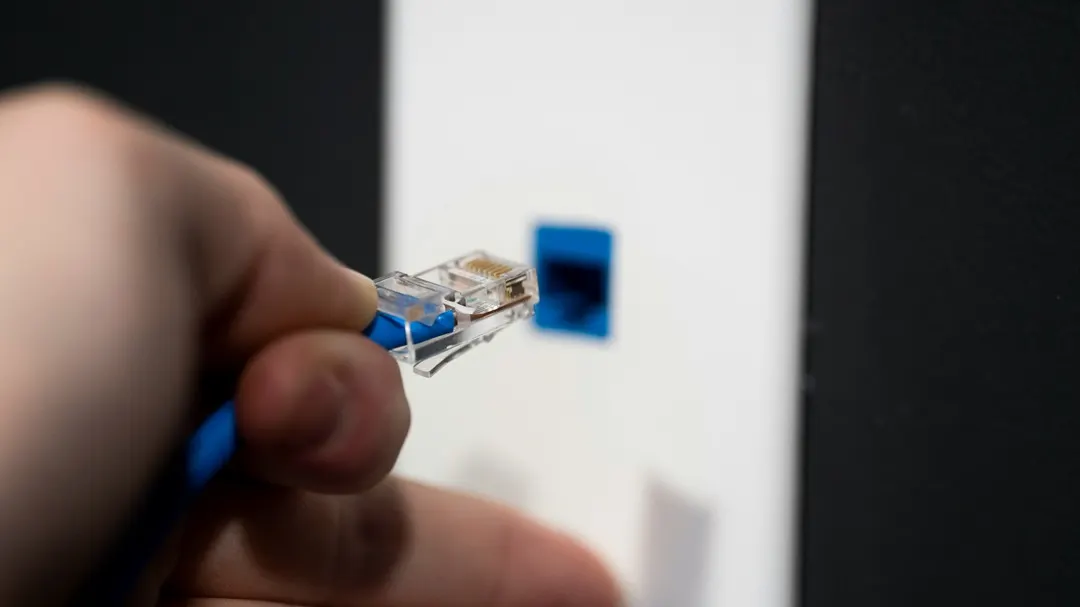
Wi-Fi against Ethernet is usually framed as a contest, which is a poor fit: the two rarely serve the same device.
A device that stays in one place and has a cable route available goes on copper, particularly where that cable can also power it. A device that moves, or that was never going to get a cable run, stays on wireless. Most buildings end up running both, and the split is decided one device at a time.
Where Wi-Fi and Ethernet actually diverge
The comparison that matters is not the peak rate on a datasheet. Wi-Fi 6 (802.11ax) is advertised at up to 9.6 Gbps, but that figure is aggregate across channels and assumes clean spectrum with no contention. Every client on an access point shares the same airtime, and the medium is half duplex — a radio can’t transmit and receive on the same channel at once.
A switched Ethernet port works the other way. Each link gets its own four pairs and full duplex transmission, so a 1 Gbps port delivers roughly 940 Mbps of payload whether one device is active or twenty. Nothing a neighbouring tenant does on the same switch changes your link rate.
That’s where the shorthand “Ethernet is faster” breaks down. A gigabit port beats a congested 5 GHz channel at the far end of a building. A 100 Mbps port loses to a clean Wi-Fi 6 link two metres from the access point. A rate only means something once you name the port, the cable, the distance and the number of clients.
| Dimension | Ethernet | Wi-Fi |
|---|---|---|
| Medium | Dedicated four-pair cable per link | Shared radio channel |
| Transmission | Full duplex, switched | Half duplex, contention-based |
| Throughput | Fixed by port and cable, independent of neighbours | Varies with distance, walls, interference and client count |
| Latency | Low and predictable | Lower on average, higher variance |
| Follows the device | No | Yes |
| Power to the device | PoE over the same cable | Battery or a local outlet |
| Typical failure | Physical, and locatable | Invisible: interference, coverage, roaming |
Latency differences come from retransmission and contention more than from raw speed. A wired link rarely has to resend a frame because someone started a microwave; a wireless link resends constantly and hides it from the application. For video calls and control traffic, the useful property of copper is not a lower average figure but a lower variance.
Wireless failures are also harder to find. Coverage looks fine on a floor plan, then a new partition wall or a neighbouring network on the same channel degrades one corner of the office and nobody can point at the cause. Wired failures are physical: a damaged pair, a connector that was terminated twice, a link nobody tested. That’s easier to diagnose, not less likely to happen.
The cost people miss is that wireless needs cable anyway. An access point needs a mounting position, power, and in most commercial designs a wired uplink. A mesh node with a wireless uplink does work, but on a dual-band system the backhaul shares radio time with client traffic, and every hop takes capacity away from the devices it is meant to serve.
What wired networking costs
Copper is cheap. Installing copper is not. The cable is a small part of a drop; the pathway is the expensive part — containment, penetrations, firestopping, repairing the finishes afterwards, and the labour of pulling through a building that was finished years ago. Ten outlets in a new fit-out and ten outlets retrofitted into a plastered office carry similar bills of materials and very different project costs.
Outlet positions are also decided early and awkward to move. That’s a planning problem rather than a cable problem. A floor plan that changes twice in five years will leave outlets in the wrong places, and the practical fix is usually a small switch and a patch cord rather than new cabling.
The distance limit is real. Balanced twisted-pair Ethernet is specified to a 100 m channel — 90 m of permanent link plus patch cords at both ends. Beyond that a link needs an extender or fiber, and no cable category changes the number.
Environment changes the construction, not just the jacket colour. Outdoor runs see UV, water and temperature swings. Direct burial needs a construction rated for it. Air-handling spaces have their own jacket requirements. Which one applies is a code question for the project’s authority, not something to settle from a product label.
And wired links do fail. Most of them sit at the ends: a connector, a patch panel port, a cable pulled too tight around a corner. A link that passed certification at handover can fail after someone re-terminates it badly six months later.
Matching the connection to the device
Fixed workstations and office equipment
A desktop that sits on one desk for years has no reason to be wireless. One cable, no contention, nothing to troubleshoot. Laptops are the awkward case: a dock with Ethernet gives the same benefit at the desk and Wi-Fi when the machine leaves, which is why docks outsell desktop network cards in most offices.
Wi-Fi is still fine for plenty of fixed equipment — a meeting room display, a guest device, anything with modest and bursty traffic. The question is whether the device’s job depends on a stable link, not whether it happens to be stationary.
Cameras, access points and the PoE question
Cameras are the clearest case for copper. They are fixed, they are mounted where there is no convenient power outlet, and most commercial models take power over the same cable that carries the video. One run does both jobs, and the camera keeps recording during a local power failure as long as the switch is on a UPS.
Two qualifications. Not every camera supports PoE: some want 12 V or 24 V AC, and battery or Wi-Fi models exist for sites where a cable run is genuinely impossible. And PoE has a power budget — a 24-port switch rated for a total wattage will not run 24 cameras at the top of the class. Budget per port and in total.
Access points are the case people get wrong. Wireless clients don’t remove the need for cable; they move it. The access point itself needs a position, power and usually a wired uplink, and that uplink decides whether the wireless network has capacity or only coverage.
Smart TVs and entertainment equipment
Worth a paragraph, not a section. A wired connection is preferable when the set has an Ethernet port, the cable run is practical, and the content is high bitrate — a UHD remux can run above 100 Mbps, which is why some sets still ship a 100 Mbps port and stutter on local playback while streaming services look fine. For ordinary streaming, a good 5 GHz or 6 GHz link is enough.
Choosing the cable behind the jack
Once the connection decision is made, the cable question is about the link rather than the brand.
Category follows the application, and both ends have to match. Cat5e carries 1000BASE-T to 100 m. Cat6 does the same with more headroom and supports 10GBASE-T over shorter distances — commonly quoted at 55 m, though the figure depends on alien crosstalk in the bundle. Cat6A is specified for 10GBASE-T across the full 100 m channel. Pairing Cat6A with Cat5e patch cords, or with 1G switch ports, buys nothing; the Cat6 vs Cat6A comparison goes through where the difference actually shows up.
| Category | Rated bandwidth | Typical application | 10GBASE-T distance |
|---|---|---|---|
| Cat5e | 100 MHz | 1000BASE-T to 100 m | Not specified |
| Cat6 | 250 MHz | 1000BASE-T with headroom; 2.5G and 5GBASE-T | Up to about 55 m |
| Cat6A | 500 MHz | 10GBASE-T across the full channel | 100 m |
The 100 m figure is a channel limit, not a cable length: 90 m of permanent link plus 10 m of patch cords, measured end to end. If the run is longer, no category fixes it — that is the point where fiber usually becomes the cheaper answer, covered in Copper or Fiber?.
Environment decides the construction. A PVC indoor cable in a riser, a plenum space or a wet outdoor tray is the wrong part in each case. For runs that leave the building envelope, the outdoor constructions guide covers the difference between aerial, duct and direct burial, and the indoor and outdoor ranges are specified separately for the same reason.
PoE changes the conductor requirement rather than the category. Current through a bundle raises temperature, and the allowable bundle size depends on conductor gauge, the number of cables and the power per cable. The PoE cable article goes through the numbers; the short version is that four-pair power at the top of 802.3bt is where a 24 AWG copper-clad aluminium cable stops being adequate.
Then the specifications worth asking for.
Conductor material first: copper rather than CCA, because the higher DC resistance of aluminium shows up as voltage drop on long PoE runs. Gauge next, 23 AWG rather than 24 AWG where bundle heating or long runs matter. Shielding is a decision driven by the electrical environment, not a general upgrade. And test data — a link report from a calibrated tester says more about a reel than any claim on a datasheet.
If you are pricing a project, the useful starting point is the target application, the cable category, the longest run, the installation environment and the quantity. Those five answers turn into a specification instead of a product page.